Lien Waiver Autopilot · Google Sheets
Lien waivers that chase themselves.
| Party | Pay app | Status | Payment |
|---|---|---|---|
| Apex Electric | PA-03 | Received | OK |
| Apex Electric | PA-02 | Overdue | Collect now |
| Ridgeline Plumbing | PA-01 | Not requested | Hold payment |
| BuildMart Supply | PA-01 | Requested | Paid w/o waiver |
| Northside Drywall | PA-04 | Received | OK |
Sent by Autopilot · 6:02 AM
Lien waiver for Maple St Remodel (PA-03)
Hi Apex Electric, we're processing PA-03 on Maple St Remodel ($18,500.00). Could you send us a signed Conditional Progress lien waiver through Aug 31?…
How it works
Four steps, then it runs.
- Step 1
Buy
Checkout takes a minute. Your copy link, setup guide and license key arrive by email straight away.
- Step 2
Make a copy, connect Gmail
Copy the sheet into your Google Drive and approve Gmail access once. About 10 minutes with the guide.
- Step 3
Log pay apps
Add a row per waiver. Requests go out from your Gmail with the amount, through date and waiver type filled in.
- Step 4
Check the hold list
Reminders go out on their own. Before each check run you see who's clear to pay and who's on hold.
Inside the sheet
What you'll actually use.

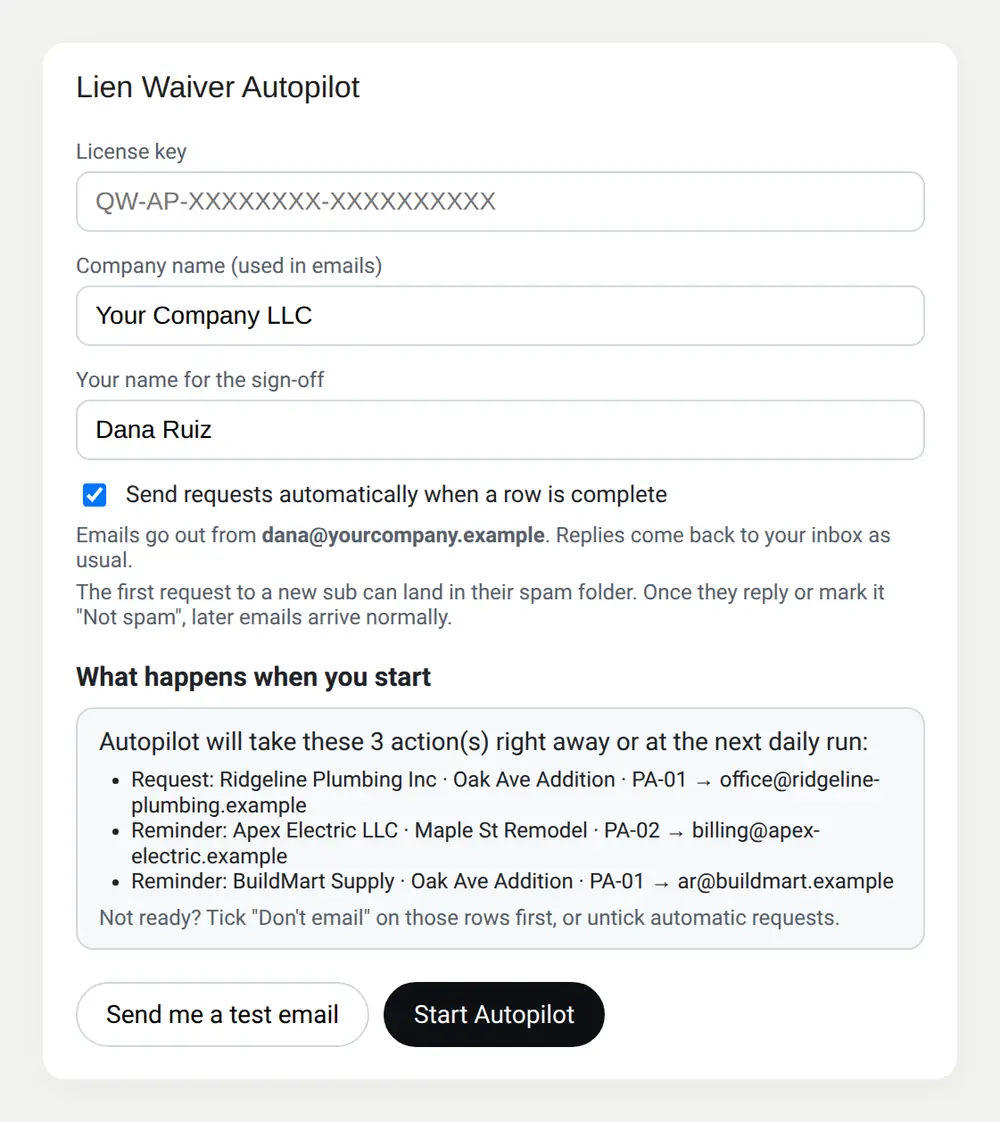
Nothing is sent until you've seen it. The setup window previews every request and reminder, and you can send yourself a test email first.
After that, rows are checked every 15 minutes. Requests go out from your own Gmail, and replies come back to your inbox as usual.
Screenshots use the example rows that come in every copy.
What you need
- A Google account (Gmail or Google Workspace) to send from
- Your subs' and suppliers' contact emails
- The waiver forms you already use (your state's forms, where required)
On Outlook or Microsoft 365? That edition isn't out yet. Email us and we'll tell you when it is.
Not ready to buy? Start with the free tracker. Autopilot uses the same layout.
Lien Waiver Autopilot
$59$79one-timeLaunch price
- ✓ Unlimited projects, subs and pay apps
- ✓ Requests, reminders and unconditional follow-ups
- ✓ OK-to-pay list and weekly digest by email
- ✓ Free updates to this version
- ✓ Email support
All sales final. Try the free version first. Terms of sale
Questions
Is there a demo call or onboarding?+
No. You get a written setup guide straight after checkout, and support by email. Most people are running in about 10 minutes.
Can I get a refund?+
Autopilot is delivered instantly and can't be returned, so all sales are final. Try the free tracker first; Autopilot uses the same layout. If something doesn't work as described, email us and we'll fix it.
Where does my data live?+
In your own copy of the Google Sheet, in your Google Drive. Emails go out from your own Gmail. Nothing passes through our servers, and if you stop using it you keep everything.
Why does Google ask me to approve access?+
Autopilot is a script inside your copy of the sheet. It needs your permission to send email from your account and to see the sender and subject of replies in its own email threads, never message bodies. Google shows an approval screen the first time; the setup guide walks you through it.
Do my subs need to sign up for anything?+
No. They get a normal email from you and reply with the signed waiver.
Does Autopilot create lien waiver forms?+
No. It sends and tracks the forms you already use. Use your state's statutory forms where required. This isn't legal advice.